4 multi trade CRMs that publish a concrete page. We compared each concrete page against the same vendor's other trade pages. 2 of 4 read like the same page with the trade name swapped.
Built for the trade
None found
Generic vendors with a page
4
Pages that were swapped
2 of 4
Top search
concrete software, 1,600 a month
How A Concrete Job Actually Moves
A customer calls about a driveway, patio, sidewalk, slab or foundation. You go out to measure, check the grade and soil, and talk about finish options like broom, stamped or exposed aggregate. The quote covers demo of old concrete, excavation, base, forms, rebar or mesh, the concrete itself by the yard, finish and sealing. Larger jobs may need a permit and an inspection before the pour. Once signed, the job is scheduled, but concrete depends on weather. Rain and freezing temperatures move pour days. The crew does demo and prep, sets forms and steel, passes inspection, and then the ready mix truck shows up on a set time. The pour and finish happen in one push and cannot wait. After curing, the forms come off, joints get cut, sealing is done, and the customer pays the balance. Many jobs end with a final walk and photos.
Built For Concrete
We did not find a CRM built only for concrete. The generic tools below are what owners use, so check them against the list of must haves.
Generic Tools With A Concrete Page
Each of these sells to many trades and has a page aimed at concrete. We screenshot that page and compare its text with the same company's pages for other trades. Sorted from most real to most swapped.
Jobber page for concrete, as captured November 2026
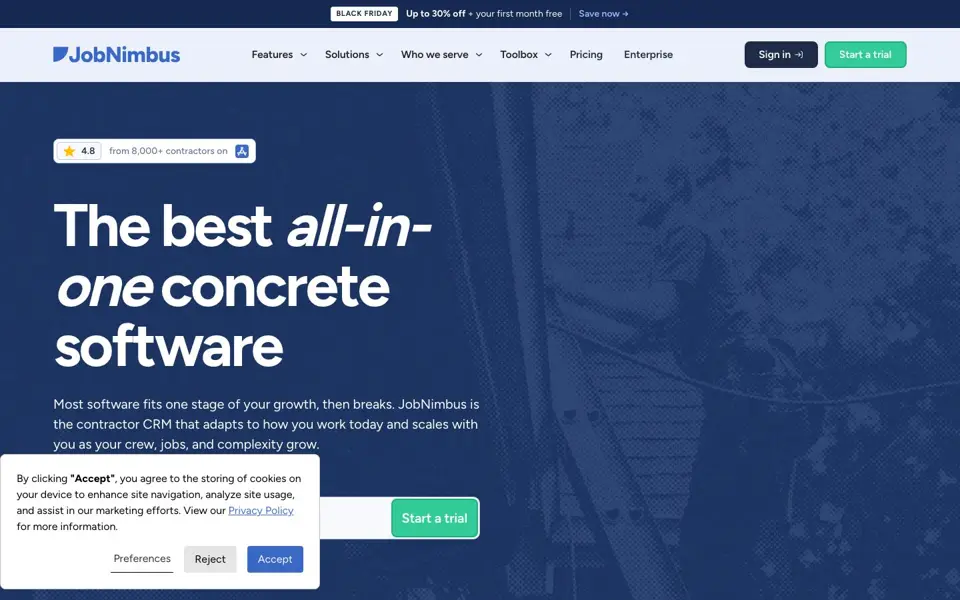
JobNimbus publishes a concrete page. These sentences on it also appear on its pages for other trades, with only the trade word changed. We replaced the trade word with a marker so you can see it.
jobnimbus lets [trade] offer more payment options, ensuring you get paid at lightning speed without having to chase checks all over town.
join thousands of [trade] using jobnimbus to save time, get paid faster, and increase your revenue.
Concrete is ordered by the cubic yard, and ordering short on pour day is a disaster. The tool needs to turn length, width and depth into yards with a little extra. Without that, estimators do math on scrap paper and a crew stands around a half finished slab waiting on another truck.
Demo test. Enter a driveway size and thickness and see if it calculates yards with an overage you control.
Weather Aware Scheduling
Rain, heat and cold all change when you can pour. Pour days move all the time, and the ready mix order, pump truck and crew all have to move with it. A calendar that cannot shift the whole job and tell everyone leaves you making ten phone calls the night before.
Demo test. Move a pour day and show what the crew, the customer and the supplier get told.
Phase Steps Before The Pour
Every pour has steps that must happen in order, like demo, excavation, forms, steel and inspection. Missing one stops the pour. The job needs a checklist by phase so the office sees what is done and the crew knows what is next.
Demo test. Ask to see a job with a phase checklist and how it blocks scheduling the pour until inspection is passed.
Finish Options And Photos
Stamped patterns, colors and finishes are what customers argue about after the pour. You need the chosen pattern, color and sample photo saved on the job and signed. Without it, the customer remembers a different color and you are stuck redoing work.
Demo test. Attach a finish sample photo to a quote and show where the customer signs off on it.
Deposits And Progress Payments
Concrete has big upfront costs for material and equipment. You need a deposit before you order and often a payment at the pour. Generic tools that only bill at the end leave you floating thousands of dollars on every job.
Demo test. Set up a deposit, a pour payment and a final payment on one job and take a test card on the deposit.
Job Costing With Yards And Equipment
Margin depends on actual yards used, pump truck fees, labor hours and dump fees for demo. If you only track the sale price, a few jobs with extra base or a rented pump eat your profit and you never see it. You need actual versus quoted per job.
Demo test. Enter actual yards and a pump fee on a completed job and see the profit change.
Signs It Is Generic
No way to figure yards from measurements
Treats a pour like a single appointment with no phases
Calls each job a deal and ends tracking at signing
No deposit or progress payment setup
Never mentions weather, inspections or ready mix
Systems It Should Connect To
QuickBooks Online
QuickBooks Desktop
CompanyCam
Google Earth
Stripe
DocuSign
Gusto
Google Calendar
What It Costs
Concrete contractor software is usually priced per user or by plan tier, with estimating, job costing and photo tools often in higher tiers or sold as separate apps. Some vendors want an annual contract and charge setup fees. Card and bank payment fees are added for deposits and progress payments. Ask whether field crew logins cost the same as office users.
Monthly Google searches in the United States, {SEEN}. Cost is what advertisers pay per click, which shows how hard vendors fight for that search.
Search
Per month
Ad cost per click
concrete software
1,600
$10.47
concrete crm
170
$28.60
concrete estimating software
140
$66.35
concrete business software
10
concrete management software
10
concrete scheduling software
10
Questions People Ask
What software do concrete contractors use?
Concrete contractors use tools that handle estimating by the yard, phased scheduling, deposits and job costing. Many also use a photo app to document forms and steel before the pour. A generic CRM can store leads, but you want something that knows a pour has steps and that weather moves the date.
How do I estimate a concrete job?
Measure the area, set the thickness, and calculate cubic yards with a small overage. Then add demo, excavation, base, forms, steel, finish, sealing and any pump or permit costs. Good software stores your rates for each part so estimates stay consistent and you see your margin before you send the quote.
How do concrete companies handle rain delays?
Most reschedule the pour and notify the crew, the customer and the ready mix supplier. Software that moves the whole job and sends those texts in one step saves a lot of calls. Keep a short list of backup prep work for crews on rain days so nobody loses a day of pay.
Should concrete contractors take deposits?
Most do, because material, equipment and labor costs come before the job is done. A common setup is a deposit at signing, a payment at the pour, and the balance at completion. Your software should handle that schedule and let customers pay by card or bank transfer from a text.
How do I document concrete work for warranty claims?
Take photos of the base, forms, steel and inspection tag before the pour, plus the finished work after. Store them on the job with dates. If a crack or settling claim comes later, those photos show what you built. Software that ties photos to each phase makes them easy to find.
Is there a CRM made for concrete contractors?
A few tools target concrete and paving, and many general contractor and field service tools can work if they handle yards, phases and deposits. Test with a real driveway job from your files. If the demo cannot show yardage math and a moved pour date, it is not a fit.